GanbaFlash / Event Competition
Special
Competition
Qualifying -> Final -> Live
An event-style climbing competition built around qualifying, class-based competition, Finals, and live results.
Monthly /
Special
Monthly
Age Category
Ongoing Competition
Special
Competition Class
Event Competition
The competition unfolds
Event Flow
Before reception, use Pay & Publish for the target Special Competition. Once GanbaFlash verifies the purchase, Participants unlocks for participant registration and management. Purchasing does not automatically start qualifying; the organizer starts it separately with Start Qualifying.
RECEPTION
Participant opens My QR from the GanbaFlash Home screen. The organizer scans the participant’s My QR in GanbaFlash and assigns the competition class.
QUALIFYING
After reception, the organizer uses Start Qualifying to begin qualifying. Participants then record climbing results through GanbaFlash.
FINALISTS
After qualifying finishes, organizers export the results and select up to 4 finalists per class for Final reception.
FINAL
The organizer scans each selected finalist’s My QR again for Final reception. The Final is conducted through GanbaFlash.
RESULTS
Organizers export Final results and use them to determine final standings.
4
Organizers select up to
4 finalists per class
Select and register no more than 4 finalists per class. Organizers are responsible for keeping reception within this limit.
4
Up to 4 final problems
per class
At the venue
Live Final
Follow the Final in real time at the venue.
Final results can be displayed through the real-time Live Results screen so participants and spectators can follow the competition as it progresses. Because it opens in a web browser, the competition can be followed on anything from a smartphone in your hand to a large-screen PC.
For Organizers
01
Problem Setup
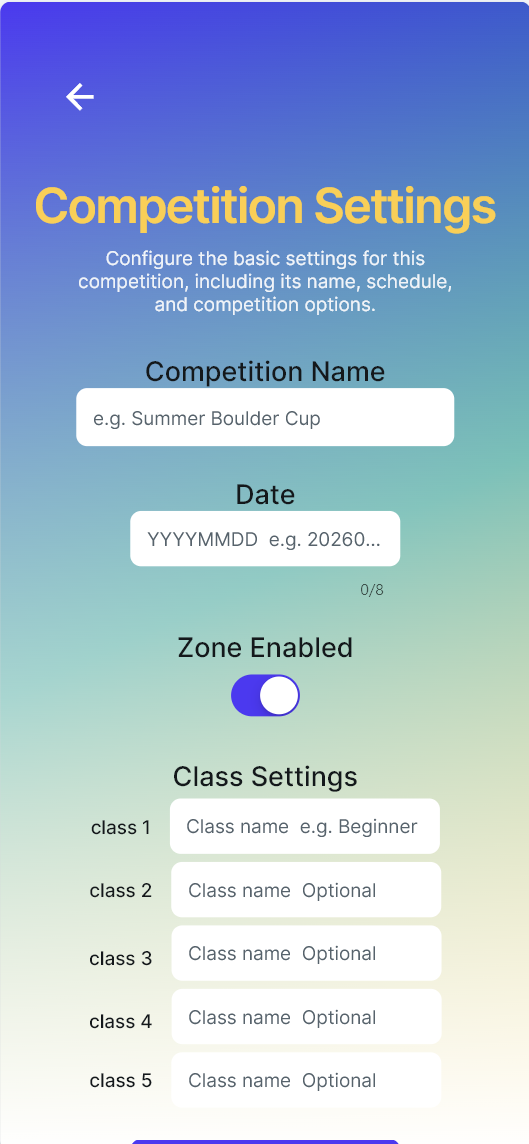
Configure the competition problems for the Special event.
02
Class Assignment
Assign each participant to the appropriate competition class at reception.
03
Export Results
Export qualifying and Final results for finalist selection and final standings.